Keyboard, mouse, and gamepads
Arepy exposes input through the Input resource. Put gameplay controls in the
INPUT pipeline so intent is collected before movement and other updates.
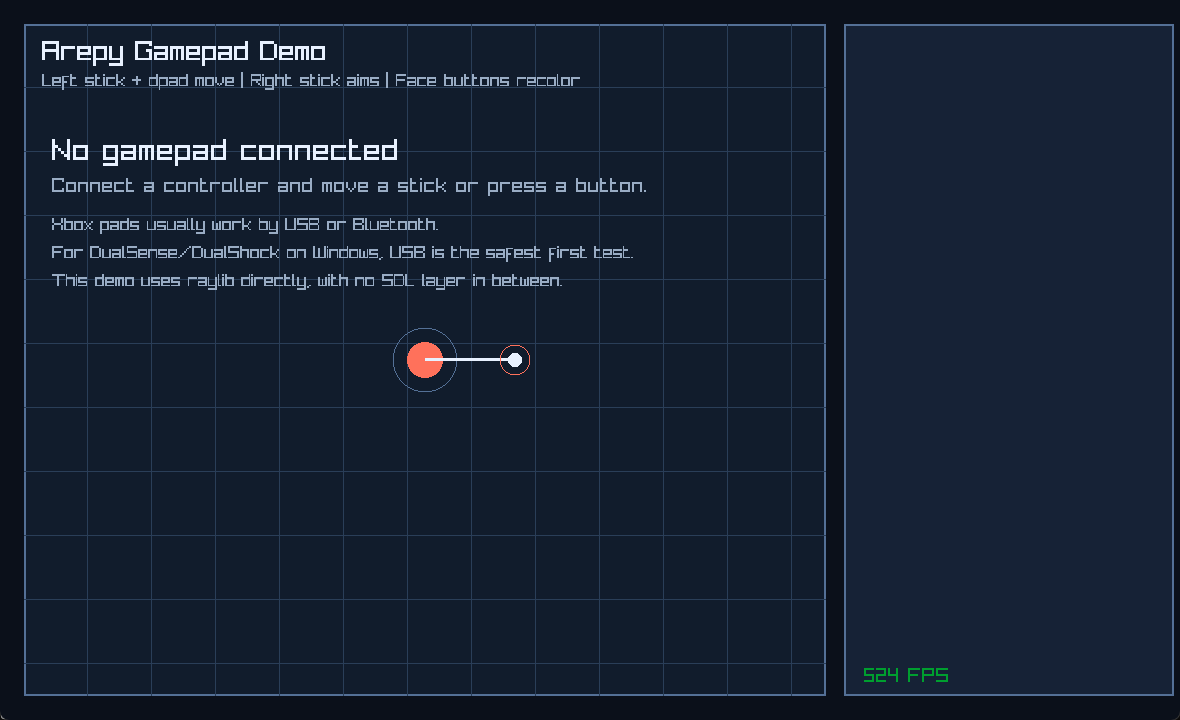
The example remains useful without a connected controller because it shows connection state and the expected controls.
Pressed or down?
This distinction prevents many beginner input bugs:
| Check | True when | Good for |
|---|---|---|
is_key_pressed() |
The key changed from up to down this frame. | Jump, fire once, toggle a menu. |
is_key_down() |
The key remains held. | Movement, aiming, charging. |
is_key_released() |
The key was released this frame. | Finish a charge or drag. |
is_key_up() |
The key is not held. | State checks. |
Keyboard movement
from arepy import Input, Key
from arepy.bundle.components import RigidBody2D
from arepy.ecs import Component, Entity, Query, With


class Player(Component):
    __slots__ = ("speed",)

    def __init__(self, speed: float) -> None:
        self.speed = speed


def player_input(
    query: Query[Entity, With[Player, RigidBody2D]],
    input_device: Input,
) -> None:
    for player, body in query.iter_components(Player, RigidBody2D):
        move_x = (
            input_device.is_key_down(Key.D)
            - input_device.is_key_down(Key.A)
        )
        move_y = (
            input_device.is_key_down(Key.S)
            - input_device.is_key_down(Key.W)
        )

        body.velocity.x = move_x * player.speed
        body.velocity.y = move_y * player.speed
This mutates the existing velocity vector. It does not allocate a replacement
Vec2 on every frame. Attach Player(speed=...) and one RigidBody2D during
entity setup, then register player_input in SystemPipeline.INPUT.
Mouse input
from arepy import Input, MouseButton
from arepy.bundle.components import Transform
from arepy.ecs import Entity, Query, With


def mouse_input(
    query: Query[Entity, With[Transform]],
    input_device: Input,
) -> None:
    if not input_device.is_mouse_button_pressed(MouseButton.LEFT):
        return

    mouse_x, mouse_y = input_device.get_mouse_position()
    for transform, in query.iter_components(Transform):
        transform.position.x = mouse_x
        transform.position.y = mouse_y
Useful mouse methods include get_mouse_delta(), get_mouse_wheel_delta(),
and the pressed/down/released/up variants for each button.
Gamepads
Do not assume controller 0 exists. Discover connected slots first:
from arepy import GamepadAxis, GamepadButton, Input


class PlayerIntent:
    __slots__ = ("jump_requested", "move_x")

    def __init__(self) -> None:
        self.jump_requested = False
        self.move_x = 0.0


# Register one instance after creating the world:
# world.add_resource(PlayerIntent())
def gamepad_input(input_device: Input, intent: PlayerIntent) -> None:
    intent.jump_requested = False
    intent.move_x = 0.0

    connected = input_device.get_available_gamepads()
    if not connected:
        return

    gamepad_id = connected[0]
    move_x = input_device.get_gamepad_axis_movement(
        GamepadAxis.LEFT_X,
        gamepad_id,
    )
    intent.move_x = move_x if abs(move_x) >= 0.15 else 0.0
    intent.jump_requested = input_device.is_gamepad_button_pressed(
        GamepadButton.FACE_DOWN,
        gamepad_id,
    )
Stick values close to zero can drift on physical controllers. Apply a deadzone
before turning them into movement. The complete
examples/gamepad_demo.py
also shows device names, generic button labels, triggers, multiple pads, and
optional vibration.
Create the state once with world.add_resource(PlayerIntent()), then register
gamepad_input in SystemPipeline.INPUT. The same object carries intent into
later update systems without creating a replacement each frame.
Input and ImGui together
When a text field or widget is active, ImGui may want the keyboard or mouse.
After installing the imgui extra, check its IO flags before also sending that
input to the game:
from arepy import Input, Key, MouseButton, imgui


class SceneInput:
    __slots__ = ("place_requested", "reset_requested")

    def __init__(self) -> None:
        self.place_requested = False
        self.reset_requested = False


# Register one SceneInput instance as a world resource during setup.
def input_with_imgui(input_device: Input, intent: SceneInput) -> None:
    io = imgui.get_io()
    intent.reset_requested = (
        not io.want_capture_keyboard
        and input_device.is_key_pressed(Key.SPACE)
    )
    intent.place_requested = (
        not io.want_capture_mouse
        and input_device.is_mouse_button_pressed(MouseButton.LEFT)
    )
This prevents the player from moving while typing into a debug panel.
Register one SceneInput resource and add input_with_imgui to
SystemPipeline.INPUT during world setup.
Web support
The web backend exposes keyboard state, mouse buttons, and pointer position. Gamepads and non-zero mouse delta or wheel delta are desktop features.
Next: draw the controlled entity or add an ImGui panel.